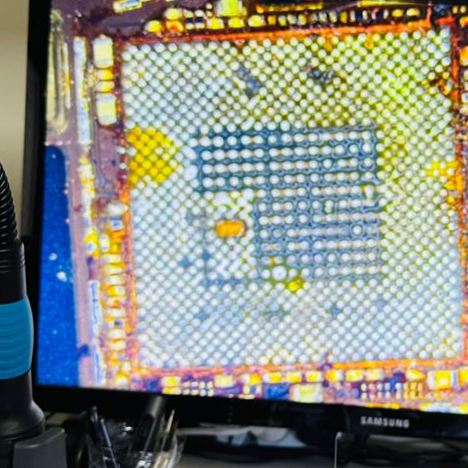
Short answer: if a MacBook won't turn on, use a known-good charger and cable of the right wattage, try every USB-C port, leave it on charge for 15 minutes, then hold the power button for 10 seconds, let go and press it once. A faint image in a dark room means the Mac is running and the fault is the backlight, and a picture on an external screen points at the built-in display. A fan, a chime or a warm base all mean the board is alive. If nothing helps, it is usually one failed part in the power circuit, found by measuring the power rails on the board. CQ Electronics repairs the failed part on your own board and keeps your storage and files in the Mac.
01Try these first
- Use a known-good chargerRight wattage, and a cable you know works. With USB-C the cable matters as much as the charger.
- Try every USB-C portEach port has its own controller. A Mac that charges from one port but not another has told you where the fault is.
- Charge for 15 minutes, then reset the power buttonLeave it on charge for 15 minutes, hold the power button for 10 seconds, let go and press it once.
- Shine a torch at the screenIn a dark room, a faint image means the Mac is running and the backlight is the fault.
- Plug in an external displayA picture there points at the built-in display, not the whole Mac.
- Listen and feelA fan, a startup chime, a warm base or a caps lock light that comes on all mean the board is alive.
02What the symptom tells us
03Stop and leave it off if…
- There has been a spill. Switch it off, unplug it and bring it in. See our MacBook liquid damage guide.
- You smell burning or the charger gets very hot.
- The base or trackpad looks swollen. That is a battery problem.
- It was dropped. A knock can crack a joint on the board.
04Why a "dead" MacBook is often a repair, not a new board
On a recent MacBook the processor, memory and storage are all soldered to one logic board, so a replacement board is most of the cost of the Mac, and it can cost you your files. Board-level repair works the other way round. We measure the power rails on your board, find the part that has actually failed and replace that part. The board, and the storage on it, stay in your MacBook.
- Dead MacNo chime, no light, no response.
- Basic checksCharger, every port, a power button reset.
- Rail testWe measure the power rails to find where the power stops.
We work here - RepairThe failed part on your board is replaced.
- WorkingThe Mac starts, charges and is tested.
Not every board can be saved, and you get a quote before any major work starts. CQ Electronics is an independent repairer, not an Apple Authorised Service Provider. If your MacBook is still covered by Apple's warranty or AppleCare for the fault, start with Apple.
05How we handle it
- Send us the detailsThe MacBook model and year, what it does (nothing, no picture, one port) and whether there has been a spill or a drop.
- We assess itWe confirm the fault and tell you what the repair involves.
- Quote before workThe price is confirmed before any major work starts. MacBook prices are on our price page, GST included.
- Repair and testThe repair is made and the MacBook is tested before it goes back to you.
Our workshop is at Unit 24/500 Seventeen Mile Rocks Rd, Seventeen Mile Rocks, in Brisbane's south-west, open 8:30 AM to 5:00 PM every day. Drop-off is by arrangement, so send a request or call 0451 008 959 first. We also take postal repairs Australia-wide for eligible electronics: contact us first and we will confirm.
06Is this your MacBook?
- No chime, no light, no fan? Try a good charger, every port and a power button reset. If still nothing, the board needs testing.
- Charges from one port only? The dead port's controller has probably failed.
- Black screen but the Mac sounds on? The backlight or the display is the likely fault.
- Quoted for a whole new logic board? Ask whether the failed part on your board can be repaired instead.
To get a quote, send us the make and model, what it does and what you have tried.
Found it cheaper? We beat it by 5%
If you find a genuine lower price for the same repair elsewhere, send us the quote and we will beat it by 5%.
Frequently asked questions
Why won't my MacBook turn on or charge?
The common causes are a faulty charger or cable, a dead charging controller on one port, a battery that has failed and a fault in the power circuit on the logic board. We check them in that order.
My MacBook is dead. Do I need a new logic board?
Not always. A MacBook that won't start is often one failed part in the power circuit. We find it by measuring the board, and replace that part.
Can you get my files off a dead MacBook?
On most MacBooks from 2016 on, the storage is part of the logic board, so getting the board running is how the files are reached. We tell you what we find after the check.
My MacBook screen is black but the Mac seems to be on. What now?
Shine a torch at the screen in a dark room. A faint image means the backlight has failed. Plug in an external display: a picture there points at the built-in display.
My MacBook only charges from one USB-C port. Is that a fault?
Yes. Each port has its own controller chip, so the dead port's controller has probably failed. It is a known weak point and a repairable one.
How much does it cost to fix a MacBook that won't turn on?
It depends on what the board needs. MacBook no-power and logic board prices are on our price page, and we quote before any major work.
Is my MacBook still under warranty?
Check first. If it is still covered by Apple's warranty or AppleCare for the fault, start with Apple. We are an independent repairer, not an Apple Authorised Service Provider.
Will you beat a cheaper quote from another Brisbane repairer?
Yes. If you find a genuine lower price for the same repair elsewhere, we will beat it by 5%. Tell us about the other price when you request a quote.
MacBook dead or not charging?
Send us the model and year and what the Mac does. CQ Electronics repairs MacBook Air and MacBook Pro logic boards, keeping your files in the Mac, with a quote before any major work.
Request a quote → Call 0451 008 959Related repair guides
- MacBook repair in Brisbane: no power, charging, liquid damage, display and logic board faults
- Phone, tablet and MacBook repair prices: fixed prices by model, GST included
- Laptop motherboard repair in Brisbane: how board-level fault finding works
- MacBook liquid damage repair in Brisbane: what to do in the first five minutes