Short answer: if a Samsung Galaxy won't charge, charges slowly or only at an angle, try a different cable and charger, then look in the USB-C port with a torch for lint and clear it gently with a wooden toothpick. If the phone shows a "moisture detected" warning, unplug it, let the port dry and don't charge it through the port until the warning clears. A port that is loose, bent or corroded needs replacing. CQ Electronics lists fixed prices for Galaxy S, A, Note, Z and Tab charging ports on its price page.
01Check these before you blame the port
- Try another cable and chargerUse a USB-C cable you know works. A worn cable looks fine and charges nothing, and fast charging needs a cable and charger that support it.
- Look in the portShine a torch in. Pocket lint packs into the port and stops the cable seating. Clear it gently with a wooden toothpick, never metal.
- Restart the phoneA software glitch can stop charging from starting.
- Try wireless chargingIf your Galaxy charges on a wireless pad but not through the cable, the battery is fine and the port or cable is the problem.
02"Moisture detected": what it means
Galaxy phones can show a warning that moisture has been detected in the charging port, and they stop charging through it to protect the phone. It can appear after a swim or a shower, and sometimes when there has been no obvious water at all.
- Unplug the cable. Don't keep trying to charge it.
- Let the port dry. Leave the phone with the port facing down in a dry, ventilated place. Don't use rice, a hair dryer or compressed air.
- Use wireless charging if you have it. It doesn't use the port.
- If the warning stays after the port is dry, the port may have corrosion or a fault. Bring it in. See our water damage guide.
03Signs the port itself is the problem
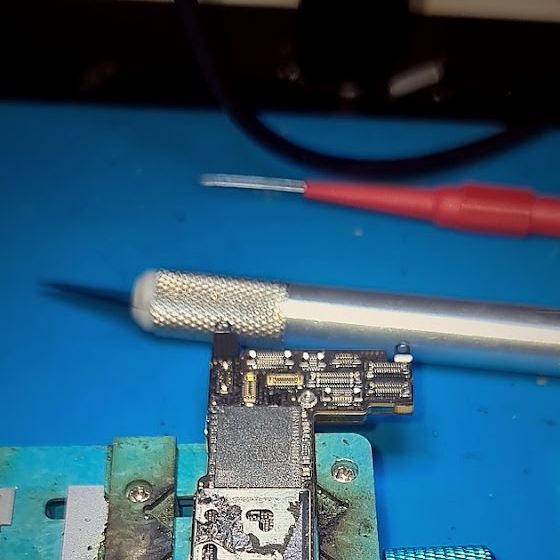
A port that is loose from the board often has cracked solder joints. Replacing it means taking the old port off the board and fitting a new one.
04What the repair involves
- Test the faultWe confirm it is the port and not the cable, the battery or the board.
- Open the phoneThe phone is opened and the battery is disconnected first.
- Replace the portThe damaged port is removed and a new one is fitted.
- Test chargingWe test charging with a cable, and wireless charging if the phone has it.
Opening a phone affects its factory seals, so it may not be as water-resistant as it was new. If your Galaxy is still inside Samsung's warranty for the fault, check with Samsung first, because a repair by anyone else can affect warranty cover.
05How we handle it
- Send us the detailsThe Galaxy model, what happens when you plug in (nothing, slow, only at an angle, a moisture warning) and what you have tried.
- We assess itWe confirm the fault and tell you what the repair involves.
- Quote before workThe price is confirmed before any repair starts. Phone and tablet prices are fixed and include GST.
- Repair and testThe repair is made and the device is tested before it goes back to you, with a 6-month repair warranty.
Our workshop is at Unit 24/500 Seventeen Mile Rocks Rd, Seventeen Mile Rocks, in Brisbane's south-west, open 8:30 AM to 5:00 PM every day. Drop-off is by arrangement, so send a request or call 0451 008 959 first. We also take postal repairs Australia-wide for eligible electronics: contact us first and we will confirm.
06Is this your Galaxy?
- Cable loose or charges at an angle? The port is worn, or full of lint.
- "Moisture detected" every time you plug in? Dry it, clean it, and if it persists bring it in.
- Charging slow with every charger? The port or the battery may be worn.
- Charges only on a wireless pad? The port is the problem.
To get a quote, send us the make and model, what it does and what you have tried.
Found it cheaper? We beat it by 5%
If you find a genuine lower price for the same repair elsewhere, send us the quote and we will beat it by 5%.
Frequently asked questions
How much does Samsung Galaxy charging port repair cost in Brisbane?
It depends on the model. Our phone and tablet prices are fixed and include GST, and the charging port price for your Galaxy is on our price page.
Why does my Samsung say "moisture detected" when it is dry?
The phone senses moisture or corrosion between the port's pins, and sometimes lint or residue can trigger it. Unplug it, let it dry and clean the port gently. If it keeps appearing, bring it in.
Why is my Galaxy charging slowly?
Often a cable or charger that doesn't support fast charging, or lint in the port. Try another cable and charger first. If it is still slow, the port or the battery may be worn.
Can I clean my charging port myself?
Gently, yes. Look in with a torch and clear the lint with a wooden toothpick. Never use metal, and don't push hard.
My Galaxy only charges at an angle. Is the port broken?
It may be loose or have worn contacts. Clean it first. If it still needs wiggling to charge, the port needs replacing.
Will I lose my data when the port is replaced?
No. A charging port replacement does not erase the phone, but it is sensible to keep a backup.
Is it the battery or the port?
A phone that charges on a wireless pad but not through the cable points at the port or the cable. A phone that charges but dies quickly points at the battery. See our battery guide.
Will you beat a cheaper quote from another Brisbane repairer?
Yes. If you find a genuine lower price for the same repair elsewhere, we will beat it by 5%. Tell us about the other price when you request a quote.
Galaxy not charging?
Tell us the model and what the phone does when you plug it in. CQ Electronics replaces Samsung Galaxy charging ports at fixed prices including GST, with a free check if you are not sure, and a 6-month repair warranty.
Request a quote → Call 0451 008 959Related repair guides
- Samsung Galaxy repair in Brisbane: fixed prices for every model, free check, 6-month warranty
- Phone and tablet repair prices: fixed prices by model, GST included
- Phone and tablet repair in Brisbane: screens, batteries, charging ports and board-level repair
- Samsung Galaxy battery replacement in Brisbane: signs of a worn or swollen battery
- Samsung Galaxy water damage repair in Brisbane: what to do in the first hour