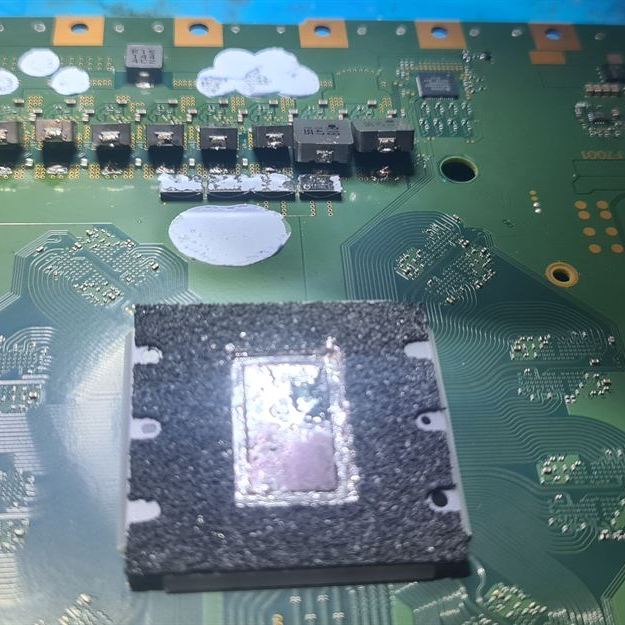
Short answer: if a Nintendo Switch won't charge, charge it handheld with the official or a known-good USB-C charger for 30 minutes, look in the port for lint, try a different cable and then the dock, and force a shutdown by holding the power button for 12 seconds. Cheap third-party docks and chargers that don't follow the USB-C power standard have been known to damage Switch consoles, so use the one that came with it. A port that is loose, bent or corroded, or a Switch that charges only at an angle, needs the port replaced. CQ Electronics repairs console charging ports at board level and quotes before any work.
01Check these first
- Charge it handheld for 30 minutesPlug a known-good USB-C charger straight into the Switch, not through the dock. A battery that has gone completely flat can take a while to show anything.
- Try another cableA worn cable looks fine and charges nothing. The Switch is picky about power, so an official or a good-quality cable is best.
- Look in the portShine a torch in. Lint packed into the port stops the cable seating. Clear it gently with a wooden toothpick, never metal.
- Force a shutdownHold the power button for 12 seconds, then charge it again. It clears a console that is frozen and not responding.
- Test the dock separatelyIf it charges by cable but not in the dock, the dock or its power adapter is the problem, not the console.
02Third-party docks and chargers
A Switch is sensitive to the power it is given. Cheap docks and chargers that don't follow the USB-C power standard properly have been known to damage Switch consoles, and the damage is usually on the board near the port. If a console stopped charging after it was used in a non-original dock, tell us when you contact us, because it points at a board fault and not just a port.
03Signs the port or the board is at fault
04What the repair involves
- Test the faultWe confirm it is the port or the board and not the cable, the dock or the battery.
- Open the consoleThe Switch is opened and the battery is disconnected first.
- Replace the port or repair the boardA damaged port is replaced. If the charging circuit near it has failed, that is repaired at board level.
- TestWe test charging handheld and in the dock, and that the console runs.
We also repair HDMI ports, no-power faults and more on PlayStation and Xbox consoles. See our console repair page.
05How we handle it
- Send us the detailsThe Switch model (original, Lite or OLED), what it does when you plug it in and whether you used a third-party dock or charger.
- We assess itWe confirm the fault and tell you what the repair involves.
- Quote before workThe price is confirmed before any repair starts.
- Repair and testThe repair is made and tested before it goes back to you.
Our workshop is at Unit 24/500 Seventeen Mile Rocks Rd, Seventeen Mile Rocks, in Brisbane's south-west, open 8:30 AM to 5:00 PM every day. Drop-off is by arrangement, so send a request or call 0451 008 959 first. We also take postal repairs Australia-wide for eligible electronics: contact us first and we will confirm.
06Is this your Switch?
- Won't charge even on a good charger? The port or the board needs testing.
- Charges only at an angle? The port is worn or loose.
- Stopped charging after using a cheap dock? Tell us. It can mean a board fault.
- Charges but only works on the dock? The port or battery connection can be the cause.
To get a quote, send us the make and model, what it does and what you have tried.
Found it cheaper? We beat it by 5%
If you find a genuine lower price for the same repair elsewhere, send us the quote and we will beat it by 5%.
Frequently asked questions
Why is my Nintendo Switch not charging?
Common causes are lint in the port, a worn cable, a faulty dock or adapter, a battery that has gone completely flat and, less often, a worn port or a fault on the board. We check them in that order.
My Switch charges by cable but not in the dock. What's wrong?
The dock or its power adapter is the likely cause, not the console. Test the dock with the original adapter if you can.
Can a third-party dock damage a Switch?
It can. Cheap docks and chargers that don't follow the USB-C power standard have been known to damage the console, usually on the board near the port. Use the original dock and charger.
How do I force a Switch to turn off?
Hold the power button for 12 seconds. Then plug it in and charge it for a while before you try to start it.
My Switch charges only at an angle. Is the port broken?
It may be loose or worn. Clean it first. If it still needs wiggling to charge, the port needs replacing.
Will I lose my games or saves?
A charging port repair is work on the port and board, and we don't wipe the console. It is still sensible to back up saves where you can.
How much does Nintendo Switch charging port repair cost in Brisbane?
It depends on what the inspection finds, so we confirm the price before any repair starts.
Will you beat a cheaper quote from another Brisbane repairer?
Yes. If you find a genuine lower price for the same repair elsewhere, we will beat it by 5%. Tell us about the other price when you request a quote.
Switch not charging?
Tell us the model and what happens when you plug it in. CQ Electronics repairs Nintendo Switch charging ports at board level, with the price confirmed before any repair.
Request a quote → Call 0451 008 959Related repair guides
- Console repair in Brisbane: HDMI ports, no-power faults, overheating and charging ports
- Console won't turn on or overheating?: safe checks before you bring it in
- PS5 HDMI port replacement in Brisbane: no picture or no signal
- Xbox HDMI port replacement in Brisbane: torn pads rebuilt under the microscope